
The player for audio you already own.
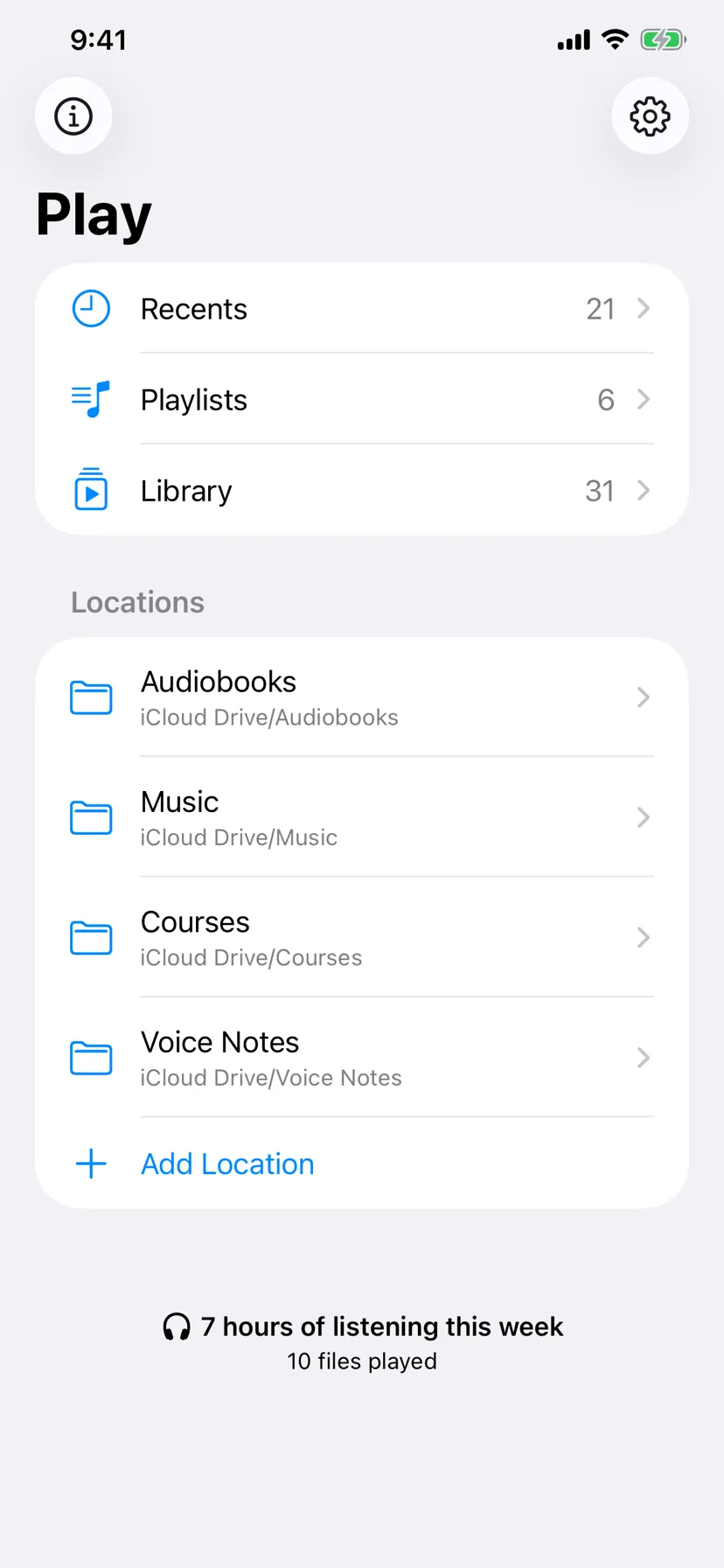
Audiobooks, recordings, courses, demos, voice notes — the audio that lives in your own folders. Played reads those files where they are, remembers where you stopped, and never copies a thing.
Nothing is ever copied
Played stores links to your files, not the files. Remove anything inside the app and the original stays exactly where you left it.
Everything is remembered
Position, speed and play count, kept per file. Stop mid-chapter, come back next month, carry on from the same second.
It stays on your device
No account, no sign-in, no analytics and no ads. Your library is a local database that never leaves the phone.
Your folders
Point it at the folders you already have.
Grant any folder your Files app can reach — iCloud Drive, Google Drive, OneDrive, a server, On My iPhone — and Played browses it the way Files does, folders first. Opening a folder is enough to index it: tags, artwork, duration and chapters are read for what is inside, so from then on those files are searchable by title or artist wherever they appear.
Cloud files are never fetched behind your back. A folder shows what is known until you actually play something, and only then are the bytes downloaded.
Playback
Every file keeps its own place.
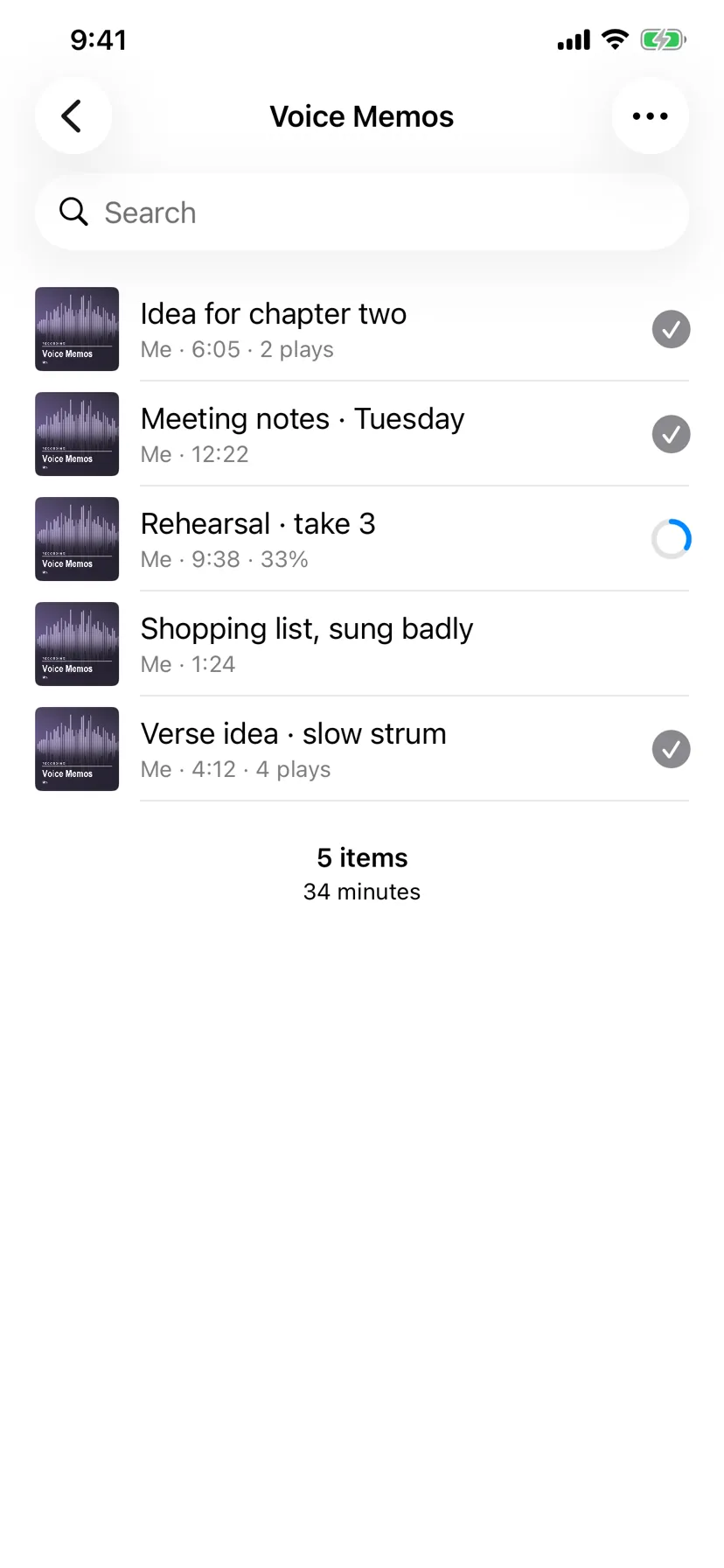
Resume where you stopped, with a couple of seconds rewound so you catch the thread again. Speed from ×0.5 to ×2, remembered per file. Chapters read from M4B audiobooks and from MP3 chapter frames. Skip intervals you choose, mirrored on the Lock Screen and in the car.
A play only counts once you have heard four fifths of a file — so the number beside a row means you finished it, not that you opened it.
Bookmarks and clips
Mark a moment. Cut it out.
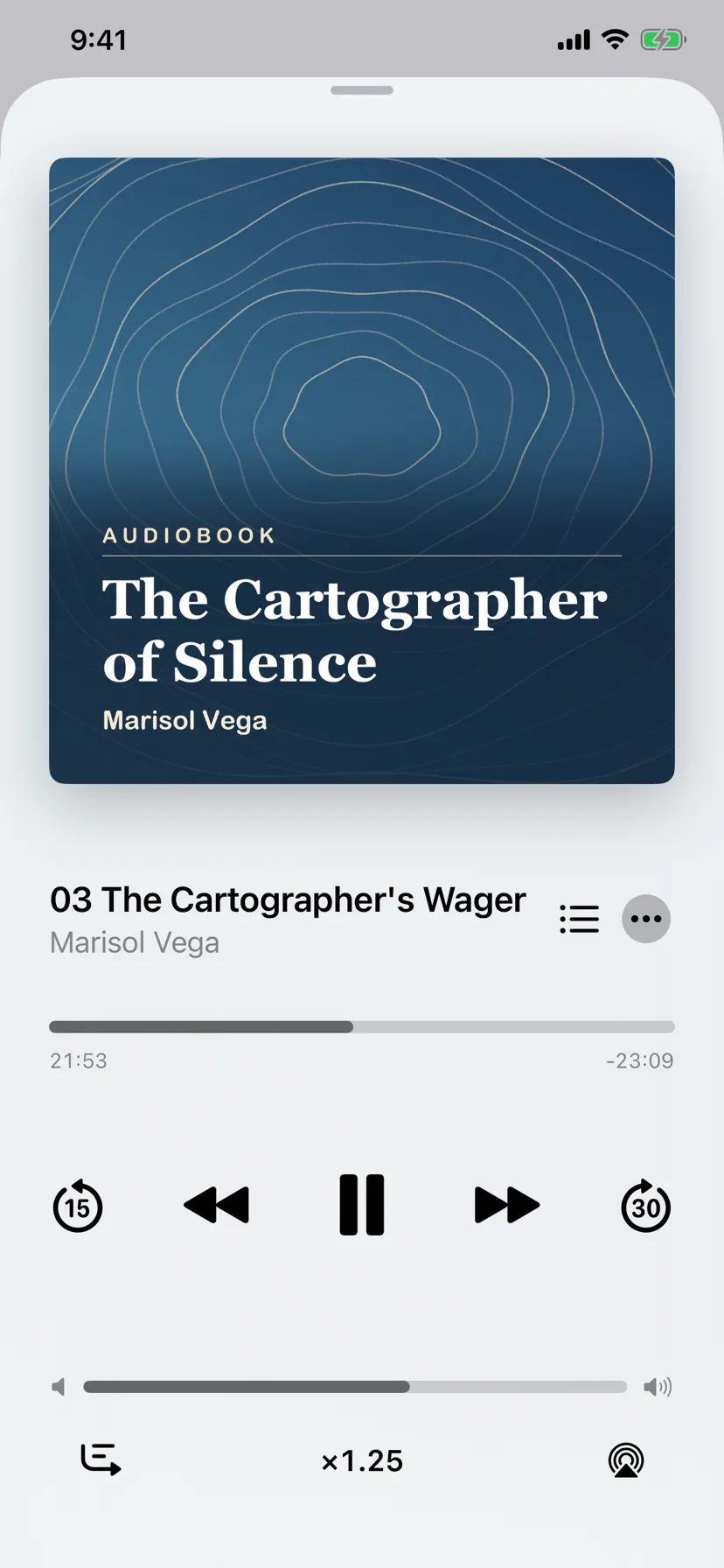
Save any moment, name it, and open it in a trim strip built like Voice Memos: drag either end, pinch to zoom the timeline, and audition the selection without ever moving your place in the file. Share the piece as an .m4a, cut to the sample.
The recording itself is untouched. The window is read where it lies, so marking a moment two hours into a long tape costs no more than marking one at the start.
Apple Intelligence
Words, worked out on the device.
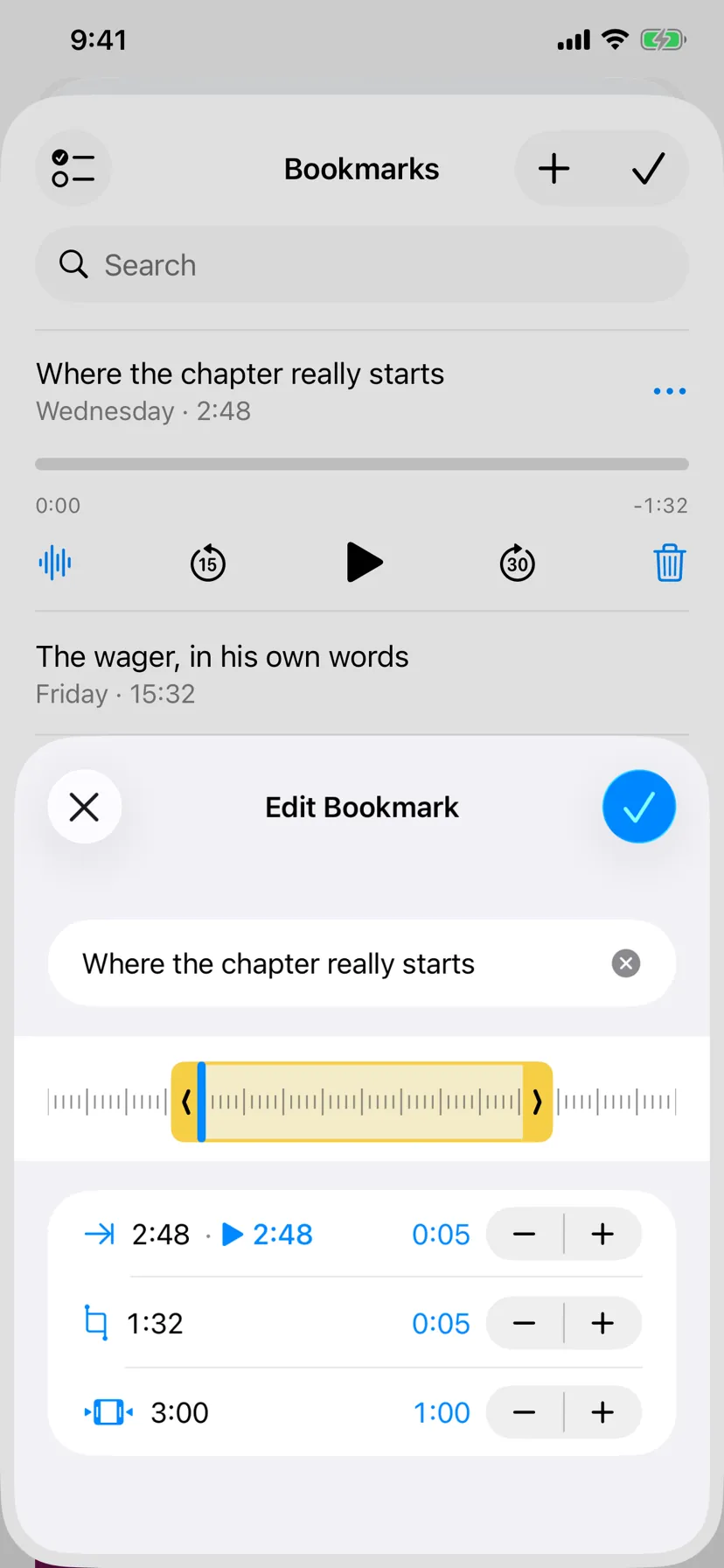
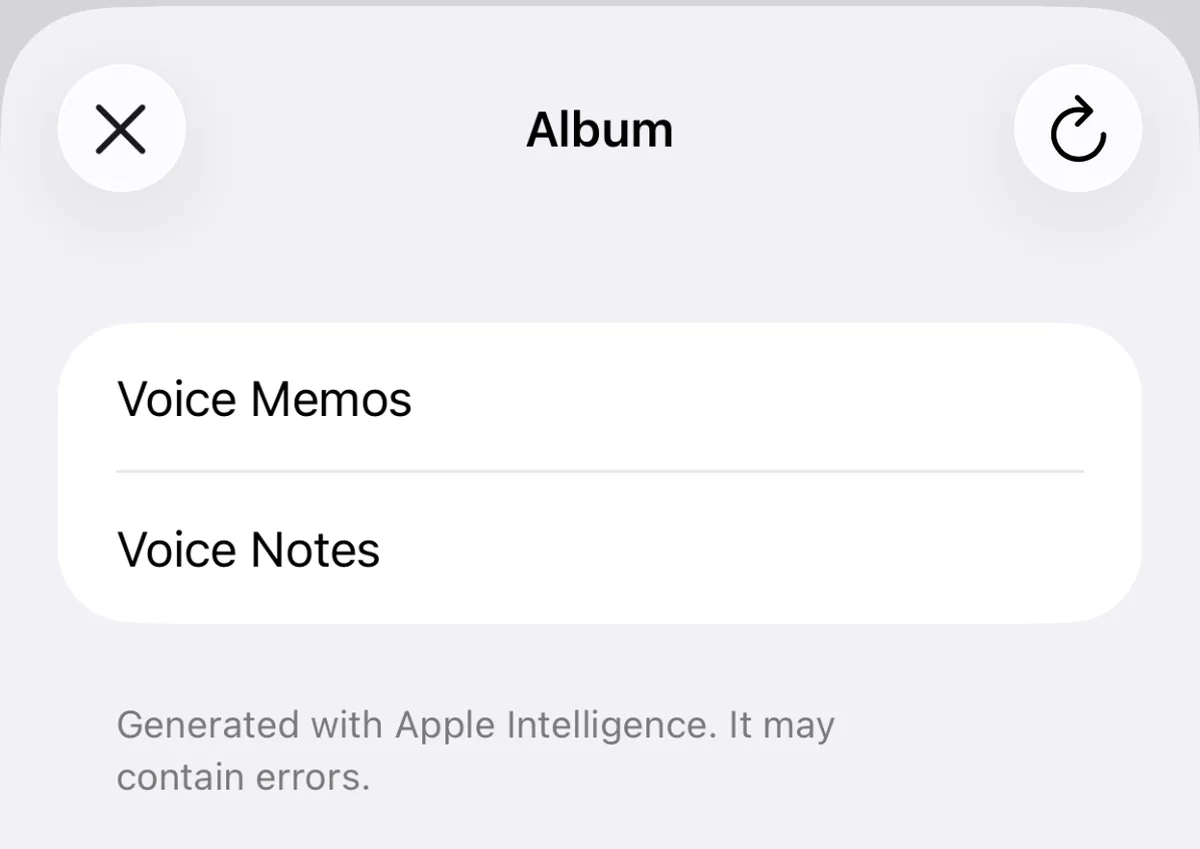
Turn a marked moment into text. Apple's own speech recogniser hears it and the system language model writes it out with punctuation and paragraphs — both on the device, so no audio is ever uploaded and nothing has to be exported to make it work. The language is detected, not assumed.
The same engine suggests titles, artists and albums while you edit tags, and it may only offer words that already appear somewhere real — the file name, its folders, its current tags, its neighbours. A translation or a flourish is discarded, however plausible it sounded.
Generated text may contain errors, and the app says so wherever it appears.
CarPlay
It comes with you.
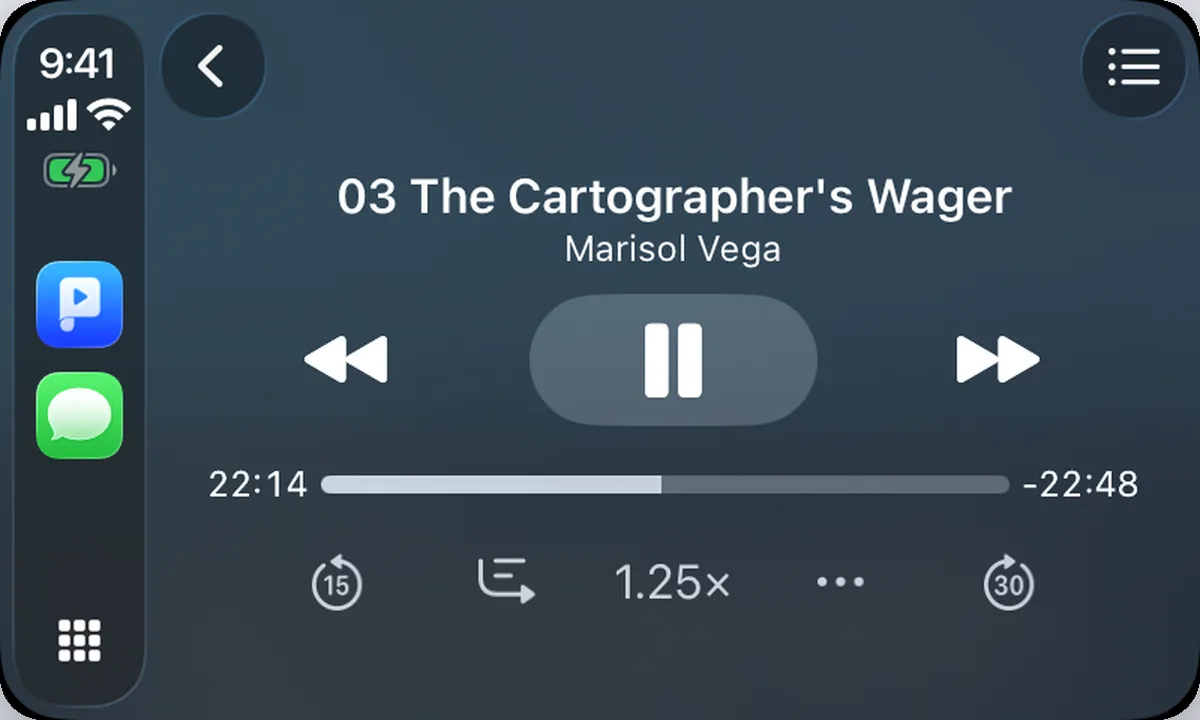
A native CarPlay app, approved by Apple for audio. Recents, Playlists, Locations and your Library, with the same rows and the same subtitles as the phone — and your bookmarks and the file's chapters right there on the Now Playing screen. Speed, play mode and where you stopped carry across without a thought.
Library
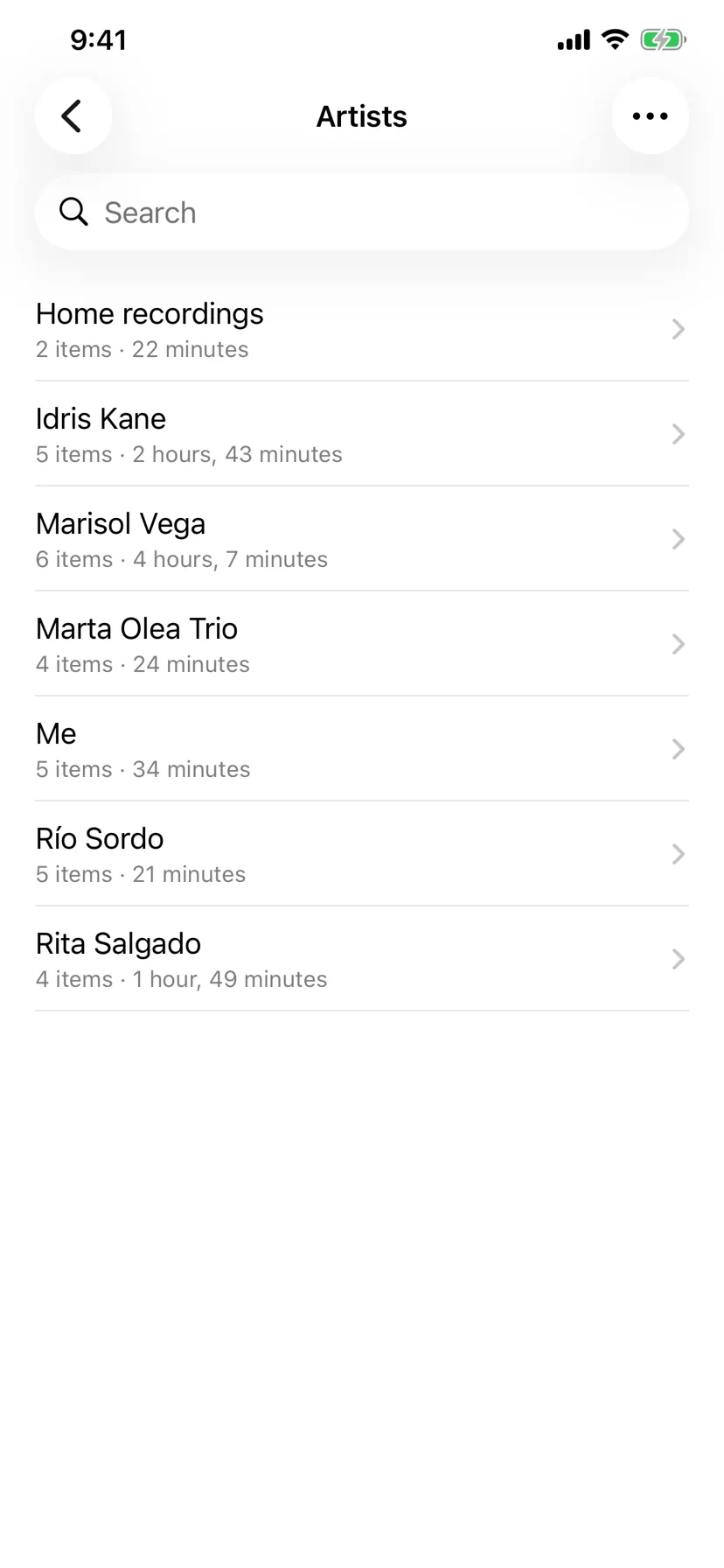
Or browse by artist and album.
Everything Played has indexed, grouped the way you would expect it: all of it at once, by artist, or by album — each list with its own order, its own resume setting and its own queue. A background pass keeps the index honest without ever downloading anything or getting in the way of playback.
The Library is part of Played Premium.
And the rest of it.
The things you would expect a player to do, done properly.
- Formats
- MP3, M4A, M4B, AAC, WAV, AIFF, FLAC, CAF, MP4 and MOV — anything the system can play. Video files play their audio track.
- Output
- AirPlay and Bluetooth through the native picker, plus Google Chromecast over your own Wi‑Fi, with the controls and the position memory intact.
- Playlists
- References, never copies. The same file can sit in several lists and never twice in one. Pin the ones you use, order them by hand.
- Listening stats
- How long you listened today, this week, this month, this year — measured by the clock, banked minute by minute so a crash never costs a session.
- Missing files
- A file that stops answering is flagged, never deleted. Renames heal themselves, and a reconnected drive clears the flag on its own.
- System
- Background audio, Lock Screen and Control Center, remote commands, light and dark, and every sheet sized the way iOS sizes its own.
Free to use. Premium if you need more room.
Everything above works in the free version. Premium lifts the limits and adds two things on top.
Free
No cost, no account
- One folder location
- One playlist
- Playback memory, bookmarks and clips
- Transcripts with Apple Intelligence
- CarPlay, AirPlay and Chromecast
Played Premium
€9.99 a year, or €1.99 a month
- Unlimited locations and playlists
- The Library, by artist and album
- Editing title, artist and album — one file or a whole selection
- Tag suggestions from Apple Intelligence
- Family Sharing included
Both plans renew automatically until cancelled. Payment is taken by the App Store, and renewal is charged within 24 hours of the end of the current period. Manage or cancel at any time in your App Store account settings; cancelling stops the next renewal and keeps your access until the period ends. Letting Premium lapse never deletes anything — what you made beyond the free limits simply waits behind a padlock until you subscribe again or trim back down. See the Terms of Use and the Privacy Policy.
Privacy
There is nothing to opt out of.
Played has no account to create and no profile to build. It collects no analytics, carries no advertising and no third‑party trackers, and your library — every position, bookmark and play count — is a database on your own device that is never uploaded.
Your files stay where you put them: Played holds permissions to read the folders you granted, and it never copies, moves or uploads their contents. Transcripts and tag suggestions run on the device itself. The only thing that ever leaves is a feedback report, and only when you choose to send one.